GSTN Update: LUT Filing for FY 2026-27 Now Live on GST Portal; Check Details and Step-by-Step Guide
GSTN Update: LUT Filing for FY 2026-27 Now Live on GST Portal; Check Details and Step-by-Step Guide
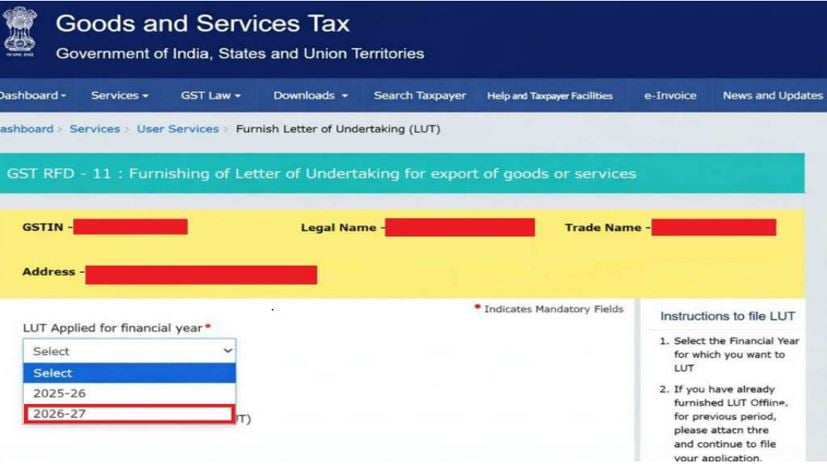
The Goods and Services Tax Network (GSTN) has now enabled the filing of Letter of Undertaking (LUT) on the GST Portal for the Financial Year 2026-27 (Assessment Year 2027-28). The GST Department has added the option to select the relevant financial year, including 2025-26 and 2026-27, on the GST portal.
Taxpayers generating zero-rated supplies without payment of integrated tax are now eligible to furnish LUT by filling in Form GST RFD-11 for the upcoming financial year.
The GSTN has suggested all registered and eligible taxpayers finish filing LUT (Letter of Undertaking) for the Financial Year 2026-27 well in advance in order to avoid last-minute hustle and inconvenience.
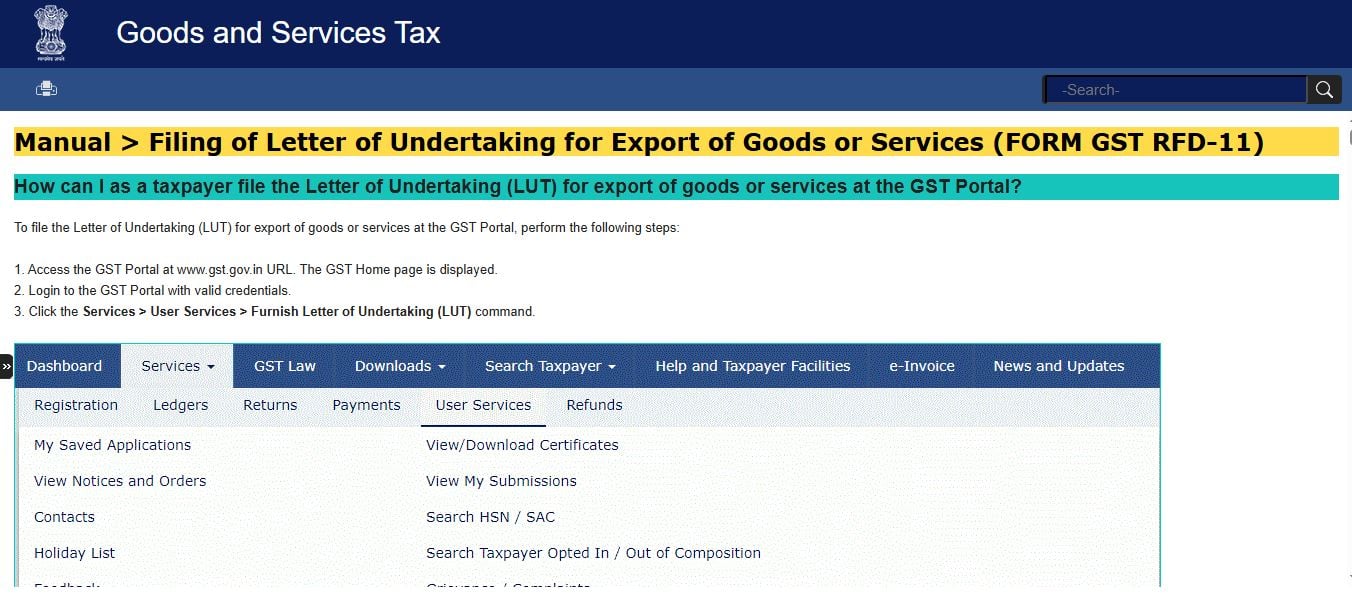
Here are the simple steps following which taxpayers can file a Letter of Undertaking (LUT) for export of goods or services at the GST Portal:
- Step 1. Visit the GST Portal at www.gst.gov.in.
- Step 2. Log in to the GST Portal with valid credentials.
- Step 3. Click the Services > User Services > Furnish Letter of Undertaking (LUT) command.
- Step 4. Form GST RFD-11 will be displayed on the screen. Select the financial year for which LUT is applied for from the LUT Applied for Financial Year drop-down list.
- Step 5. Fill in all the relevant information in the form.
- Step 6. In case you think you will need to leave the form in the middle, you can save the form and retrieve it later; click the SAVE button to save the form.
- Step 7. To retrieve the saved application later, you can navigate to Services > User Services > My Saved Applications.
- Step 8. Click the PREVIEW button to preview the form.
For detailed steps, taxpayers can visit the link – Click Here